How to Operate on Binance Smart Chain Contract Exchanges: A Step-by-Step Guide
Binance Smart Chain (BSC) contract exchanges have become a popular platform for decentralized trading, particularly for tokens built on the BEP-20 standard. Operating on these exchanges requires a clear understanding of how smart contracts, wallets, and liquidity pools work. This guide will walk you through the essential steps to start trading on a Binance Smart Chain-based decentralized exchange (DEX).
First, you need a compatible wallet. MetaMask is the most widely used option, but its default network is Ethereum. To interact with BSC, you must manually add the Binance Smart Chain network. Open your wallet settings, select "Add Network," and enter the following details: Network Name (Binance Smart Chain), New RPC URL (https://bsc-dataseed.binance.org/), Chain ID (56), Symbol (BNB), and Block Explorer URL (https://bscscan.com). Once added, you will see your BNB balance, which serves as the base currency for all transactions on BSC.
With your wallet configured, the next step is to acquire BNB tokens. BNB is essential for paying "gas fees" on the Binance Smart Chain. You can purchase BNB from centralized exchanges like Binance.com using fiat currency or other cryptocurrencies, then withdraw it to your MetaMask wallet using the BEP-20 network. Ensure you copy your wallet address correctly to avoid losing funds.
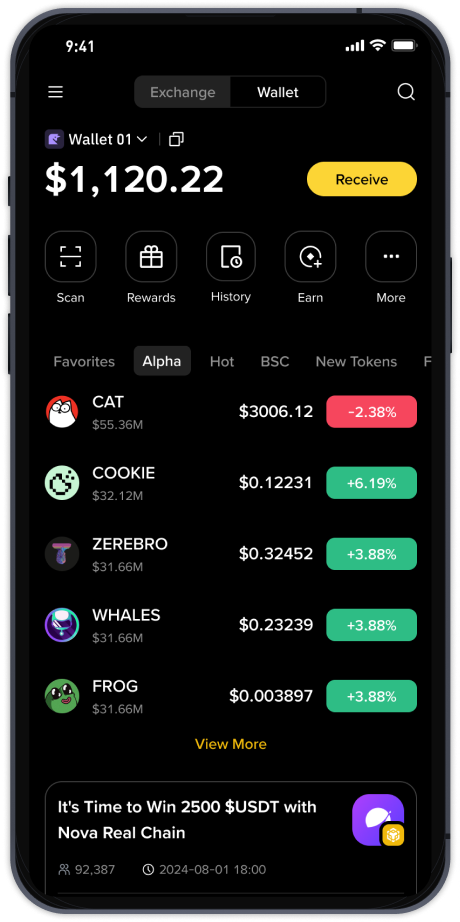
Now, you are ready to connect to a BSC contract exchange. Popular platforms include PancakeSwap, BakerySwap, and ApeSwap. Navigate to the DEX of your choice and click the "Connect Wallet" button. Select MetaMask (or your respective wallet provider) and approve the connection request. Your wallet is now linked, and you can see your BNB balance within the exchange interface.
To perform a swap, select the "Swap" or "Exchange" tab. For example, if you want to swap BNB for a BEP-20 token like CAKE, choose BNB as the token you are sending and CAKE as the token you want to receive. Enter the amount of BNB you wish to exchange. The exchange will automatically calculate the estimated amount of CAKE you will receive, including slippage and liquidity pool fees. It is advisable to set a slippage tolerance (usually 0.5% to 1%) to ensure your transaction does not fail due to price fluctuations. Click "Swap," review the transaction details, and confirm the swap in your MetaMask wallet. Your wallet will prompt you to approve the contract interaction and pay the gas fee. Wait for the transaction to be confirmed on the blockchain.
For more advanced operations, you can participate in liquidity pools. This involves depositing an equal value of two tokens (e.g., BNB and BUSD) to enable trading for others. In return, you receive liquidity provider (LP) tokens, which represent your share of the pool. You can stake these LP tokens on the exchange’s farming page to earn additional rewards. To add liquidity, navigate to the "Liquidity" or "Pool" section, select the two tokens, enter the amounts, and approve the transaction. Be aware that liquidity providers face "impermanent loss," especially when token prices shift dramatically.
Security is paramount when operating on BSC contract exchanges. Always verify the contract address of the token you are trading from official sources like CoinMarketCap or the project’s verified website. Avoid clicking on random links or interacting with unverified contracts, as malicious smart contracts can drain your wallet. Additionally, only use smart contracts that have been audited by reputable firms to minimize the risk of exploits.
Finally, understand the importance of monitoring your transactions. Use BscScan.com to track the status of your swaps, liquidity additions, and token transfers. This explorer provides real-time data on transaction confirmations, wallet balances, and the overall health of the BSC network. By following these steps and staying vigilant about security, you can efficiently and safely operate on Binance Smart Chain contract exchanges.